TSA7010 V2 - Digital Bluetooth Audio Receiver Board(I2S+DAC)
20 or more $22.30

This digtial Bluetooth music receiver connects to the Line-In or Aux input on your home audio system. You can then stream audio from your Bluetooth enabled cell phone or mp3 player to your home audio system. Enjoy the convenience of having your music source in the palm of your hand and listening to it through your home stereo.
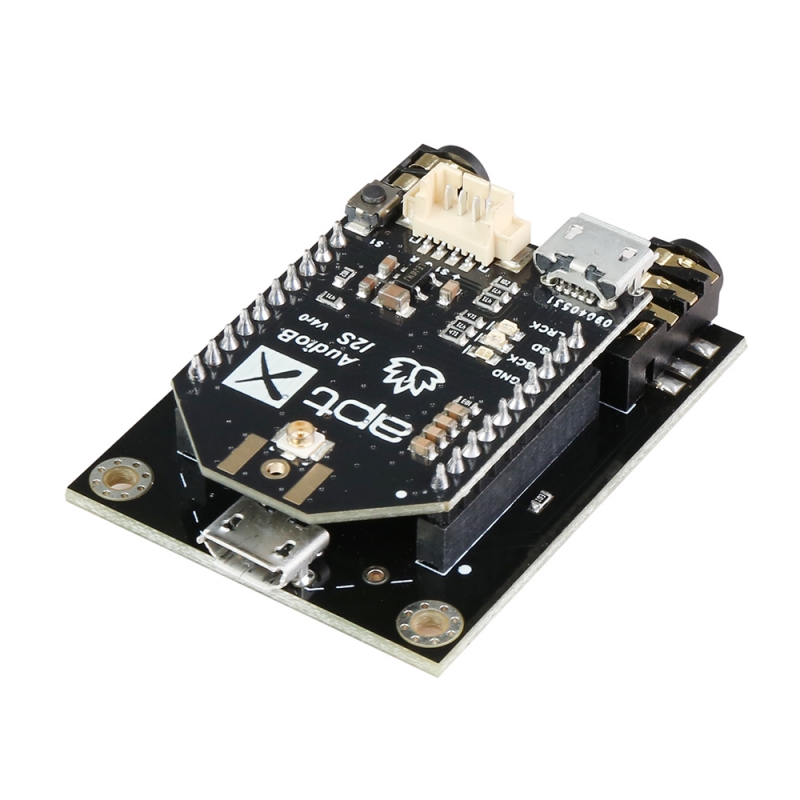
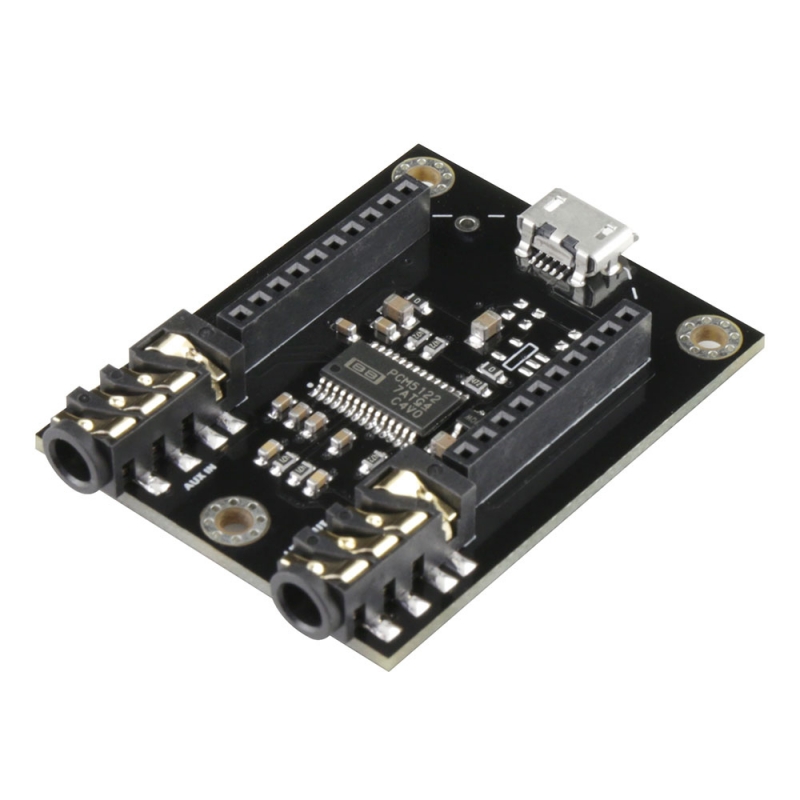
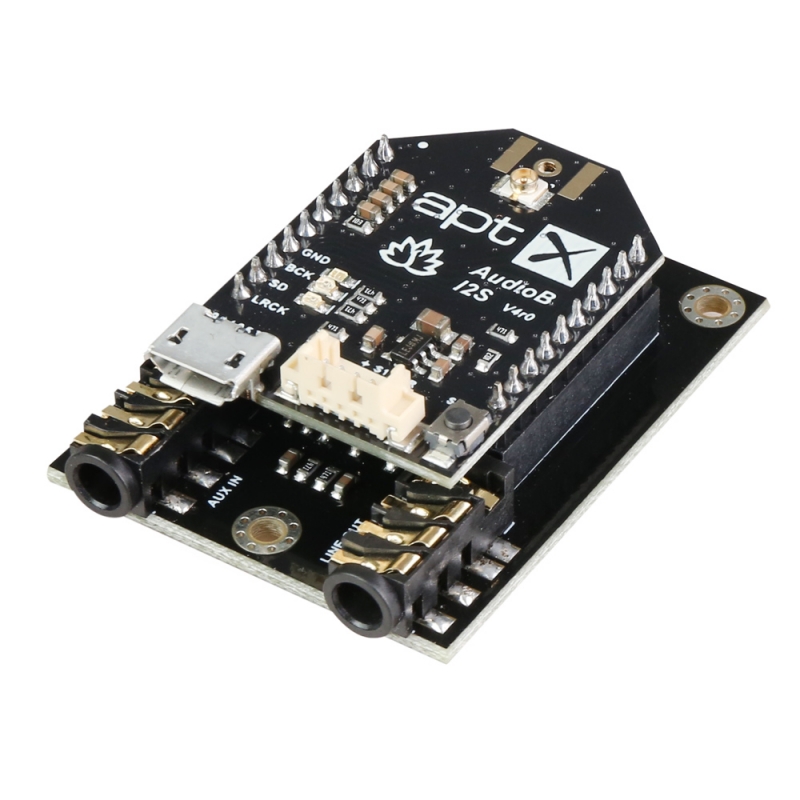
It comes with a AudioB I2S V4 Bluetooth module, with I2S digital output. Music resampling frequency is 48KHz. And it supports Apt-X, and it is based on QCC3031. The base board is a DAC(PCM5122PWR) board which convert the I2S digital audio to analog output.
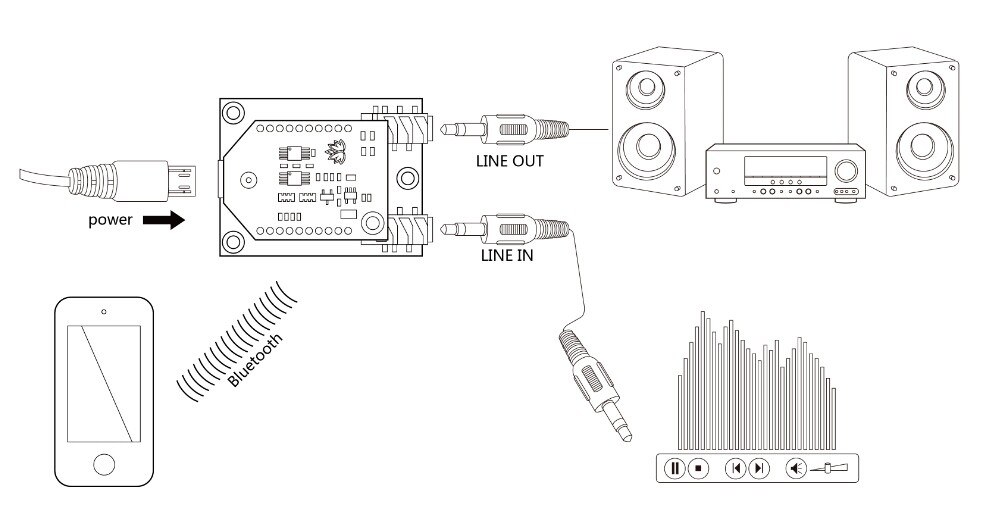
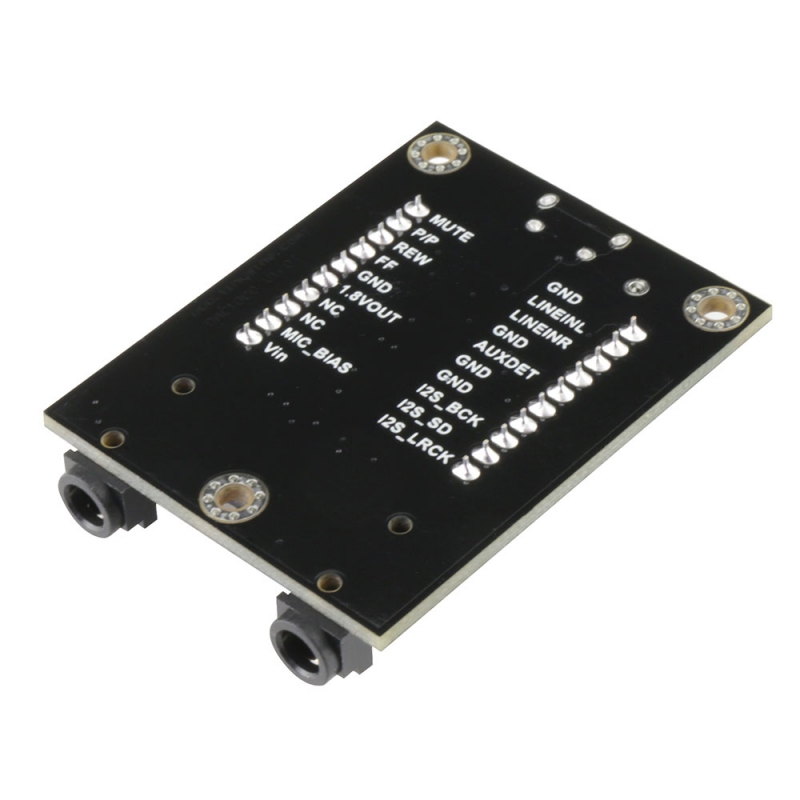
Note : TSA7010 can automatically detect the Aux in/Line in Audio input. Bluetooth Audio source has higher priority. When Bluetooth audio is paused or Bluetooth is disconnected. TSA7010 will output the Aux in/Line in audio.
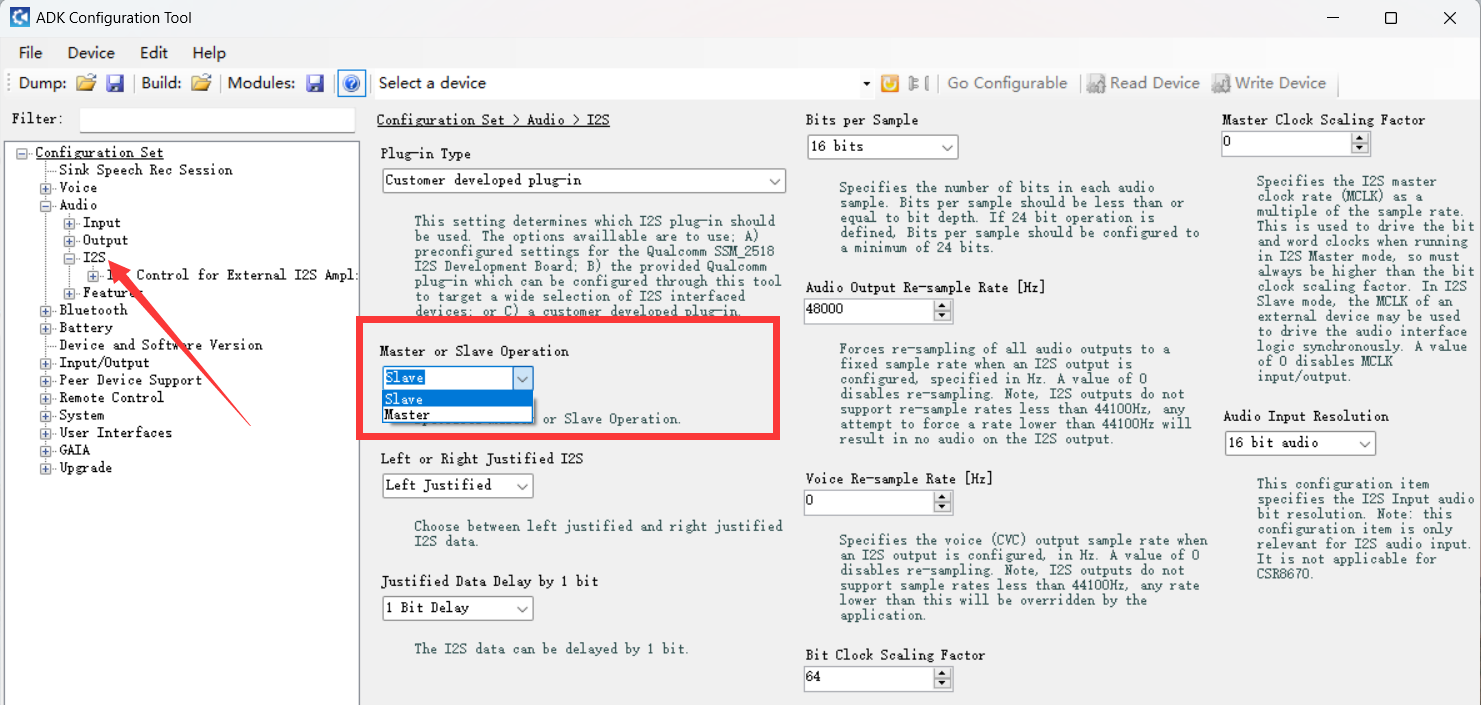
Note : TSA7010 used AudioB I2S V4 Bluetooth module, it's a I2S master, if you buy AudioB I2S V4 separately, it's I2S slave, you need to change to master if you want to make it works on TSA7010 V2
How to use:
TWS firmware (single board)
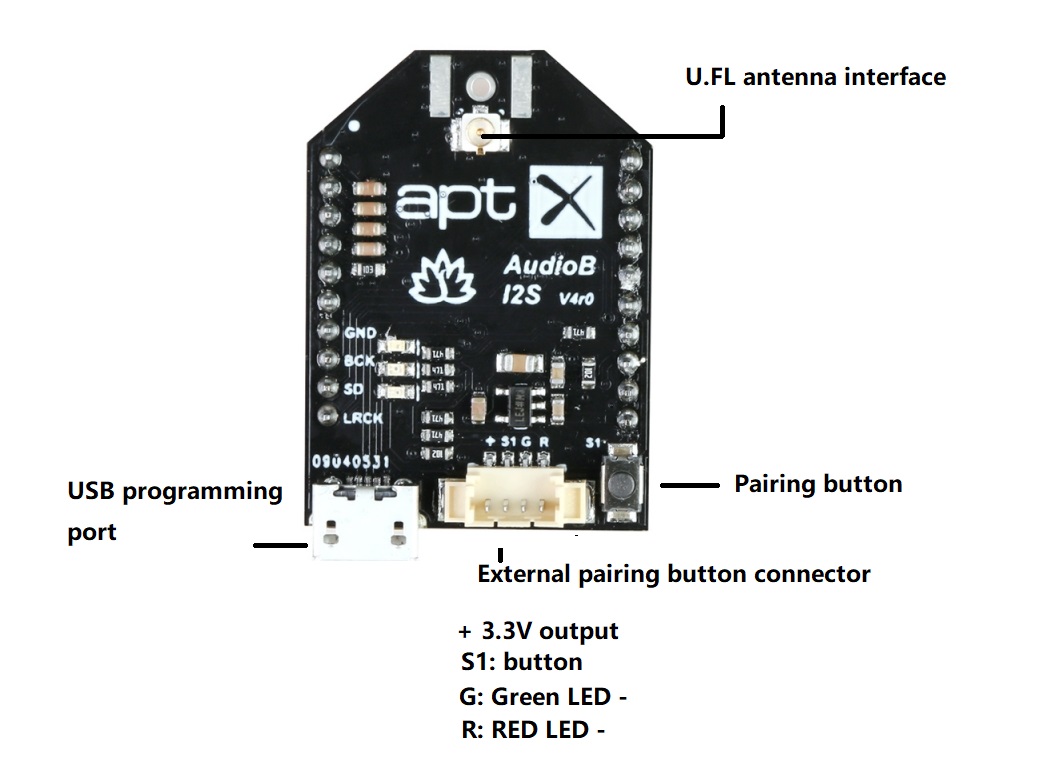
- Power on the module and wait for 5 seconds. The module will enter pairing mode, and the red and green LEDs will flash alternately.
- Now turn on your phone's Bluetooth, find a Bluetooth device named "TSA7010", and connect to it. Once connected, the red LED stays solid.
- You can play the music now.
TWS connection (2 boards can connected together)
- Master board
- Power on the module and wait for 5 seconds. The module will enter pairing mode, and the red and green LEDs will flash alternately.
- Now turn on your phone's Bluetooth, find a Bluetooth device named "TSA7010", and connect to it. Once connected, the red LED stays solid.
- You can play the music now.
- Pause the music, press and hold button S1 for about 2 seconds, you will hear two beep sounds, and the green LED will start flashing.
- Slave board
- Power on the other module (Slave) and wait for 5 second, the red and green LEDs will flash alternately.
- Press and hold button S1 for about 2 seconds, you will hear two beep sounds.
- After a moment, when the master and slave are successfully paired, the green LEDs on both the master and slave will stay solid.
- Master module and slave module can play music now.
Party firmware (single board)
- Double click S1, module into pairing mode. (Voice: Pairing, blue LED flash 2 times per cycle.)
- Now, your smartphone will be able to find a new Bluetooth device which name is "TSA7010", connect it. (Voice: Pairing successful, blue LED flash 1 time per cycle.)
- You can play music now.
Party connection (multi modules can connected together)
- transmitter module
- Power up module, blue LED flash 3 times per cycle.
- Double click S1, module into pairing mode. (Voice: Pairing, blue LED flash 2 times per cycle.)
- Now, your smartphone will be able to find a new Bluetooth device which name is "TSA7010", connect it. (Voice: Pairing successful, blue LED flash 1 time per cycle.)
- You can play music now. If you only use one module, you don't need do the following steps.
- Single click S1, module will switch between transmitter mode and receiver module. Stop click when you hear voice: broadcast mode, it means the module is set to transmitter mode, Red LED is ON.
- receiver module
- Power up another module, blue LED flash 3 times per cycle.
- Single click S1, module will switch between transmitter mode and receiver module. Stop click when you hear voice: broadcast audio enabled, it means the module is set to receiver mode. Green LED is ON
- Press and hold S1 button about 1 second on transmitter module, press and hold S1 button about 1 second on receiver module, the transmitter module will auto searching (30 seconds) receiver module. Both transmitter and receiver module will be connected. (Voice: pairing successful)
- The receiver module will have music out now.
- If a new module want to join as receiver, repeat step1~step3 on the new module.
- If a receiver wants to quit, click S1 button on that module to set it into transmitter mode.
If you connected RGB Matel Push Button with cable to the module, it works same as S1 button on the module.
Features:
- Size: 42*32*11mm
- Bluetooth 5.0
- Apt-X supported
- Stereo receive
- Effective transmission distance: 10-15m
- Micro USB female port for powering the receiver from any USB power source(5VDC)
- Compatible with all Bluetooth devices that support media audio, including iPhone
Documents:
Write a review
Your Name:Your Review: Note: HTML is not translated!
Rating: Bad Good
Enter the code in the box below: